
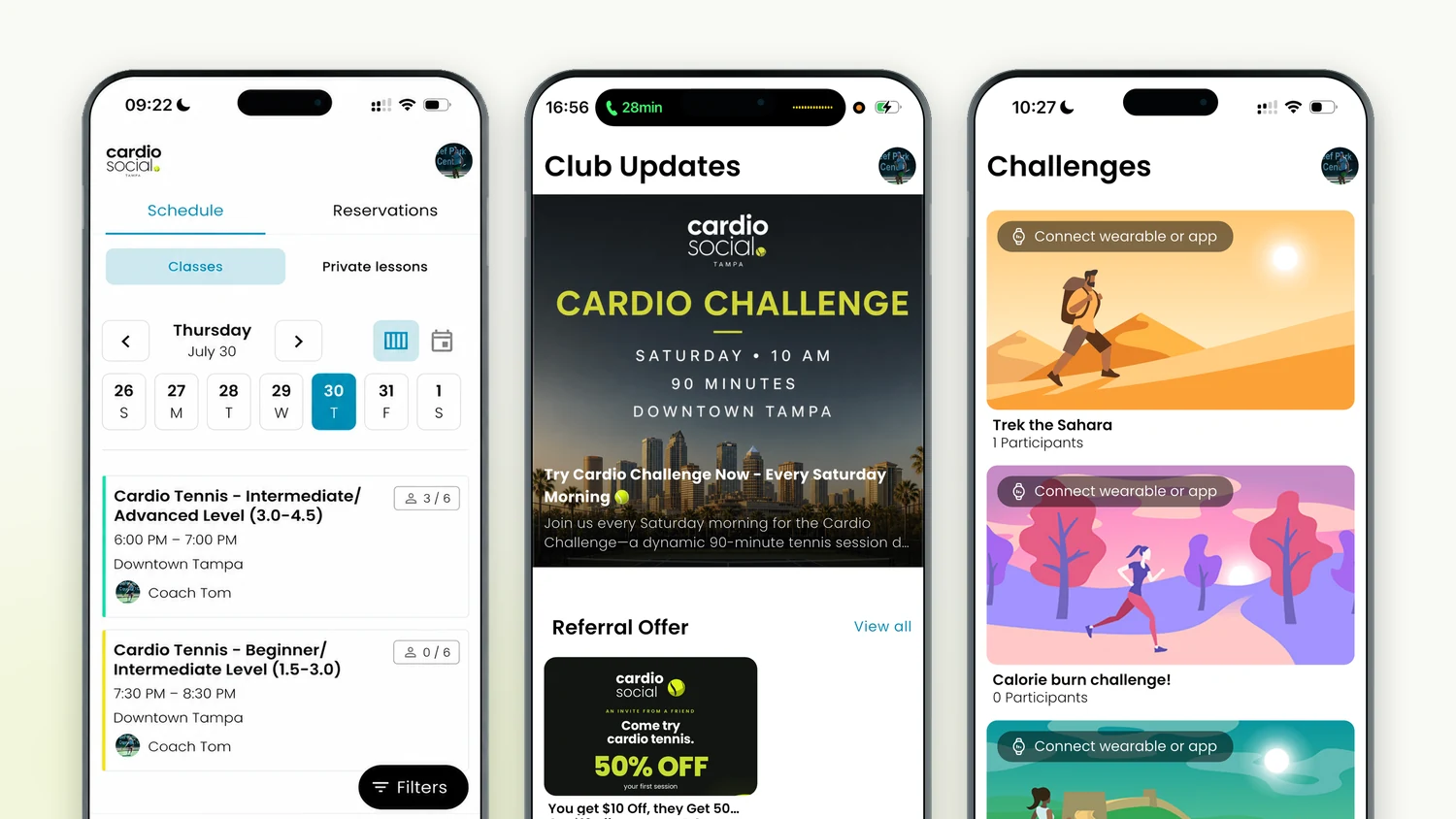
Booking a session used to mean opening a browser, finding the right page, and hoping the spot you wanted was still there. That works, but it is not what anyone wants to do standing in a car park at 6pm. So the sessions now live in an app.
It is free, it is live on both the App Store and Google Play, and it does rather more than take payments. Here is what is actually in it.
Find your session and book in seconds
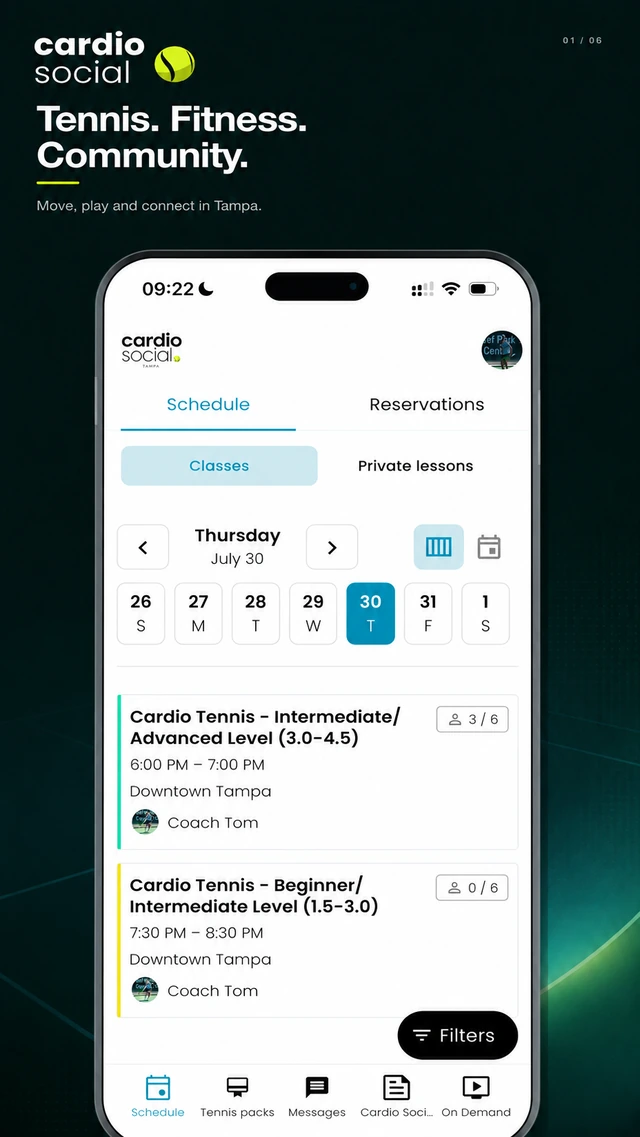
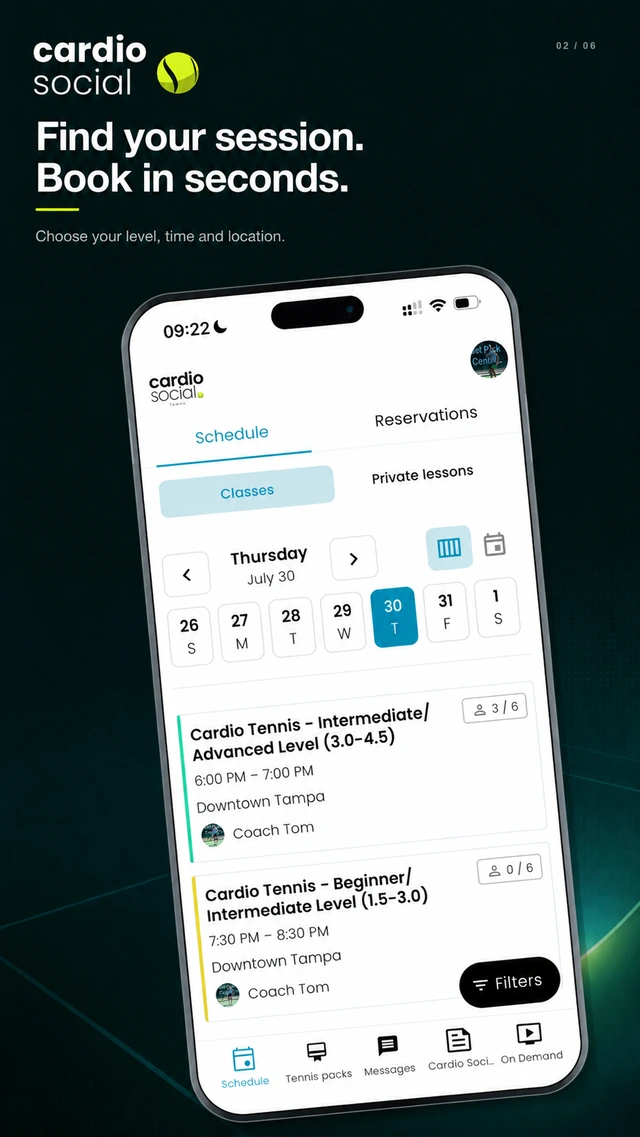
The schedule opens on the week ahead. Every session shows its level band, its time, its venue and how many spots are left — so you can see at a glance whether Thursday's Int/Adv still has room before you commit to anything.
Filters do the narrowing. Pick your level, the days that work, the location you can actually get to, and the list shrinks to sessions you could genuinely turn up for. Book, and you are in.
Private lessons live there too
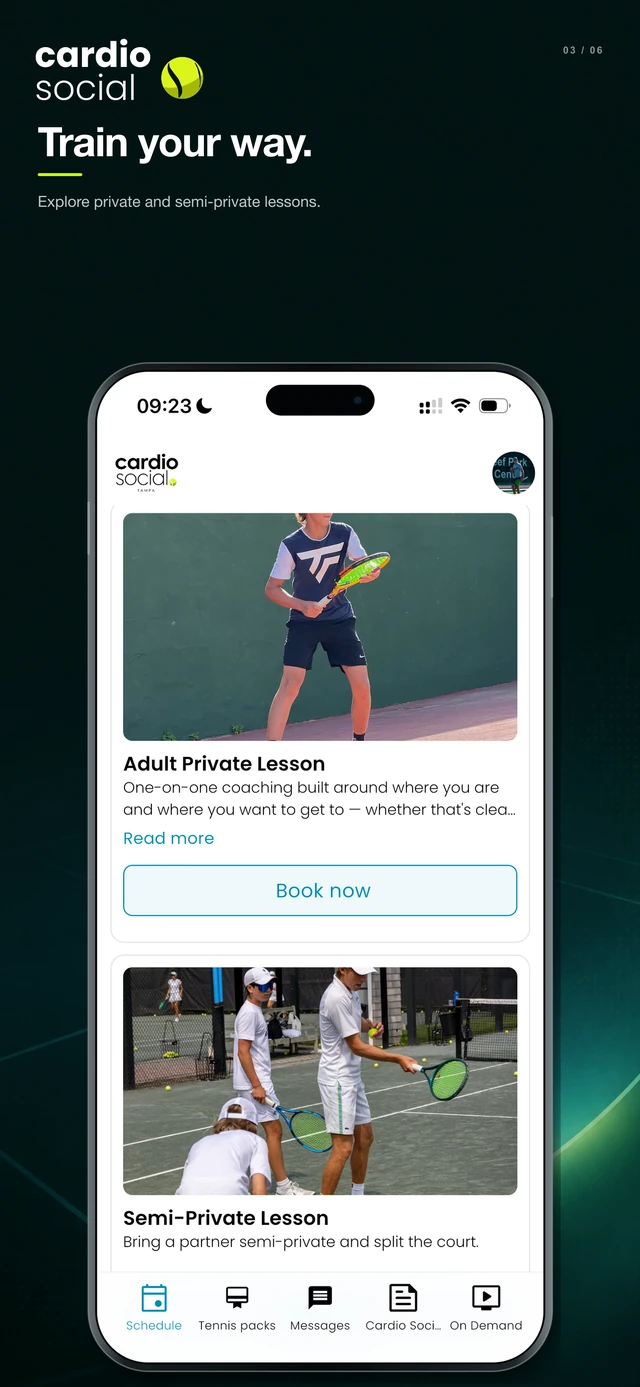
The app is not only for the group sessions. Private and semi-private lessons sit alongside them, with the same booking flow — useful if you already know you want an hour on your own before a match, or you and a partner want to split a court.
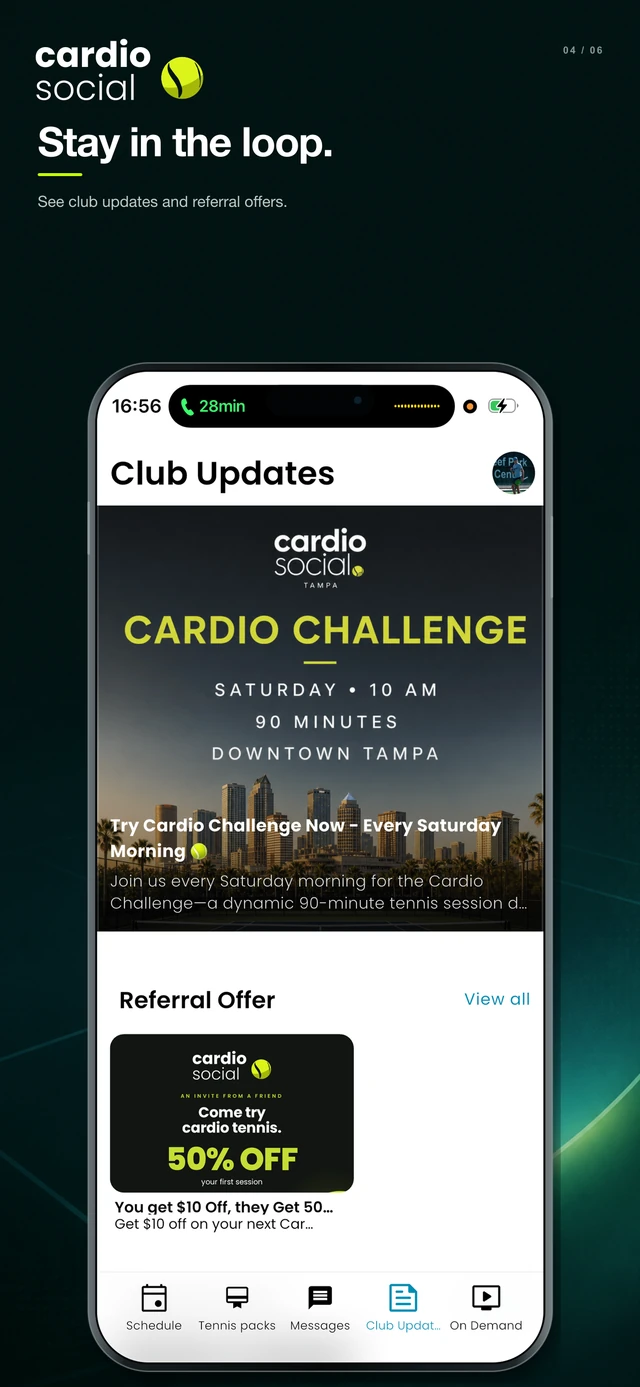
Club updates, so you stop missing things
Event nights, schedule changes, a court moving because of weather — all of it goes out through the app rather than getting lost in a group chat. Referral offers show up here as well, which is the easiest way to actually use the one you have been sitting on.
If you only turn notifications on for one thing, make it this. The monthly events fill quickly and the app is where they are announced first.
Challenges, and connecting your watch
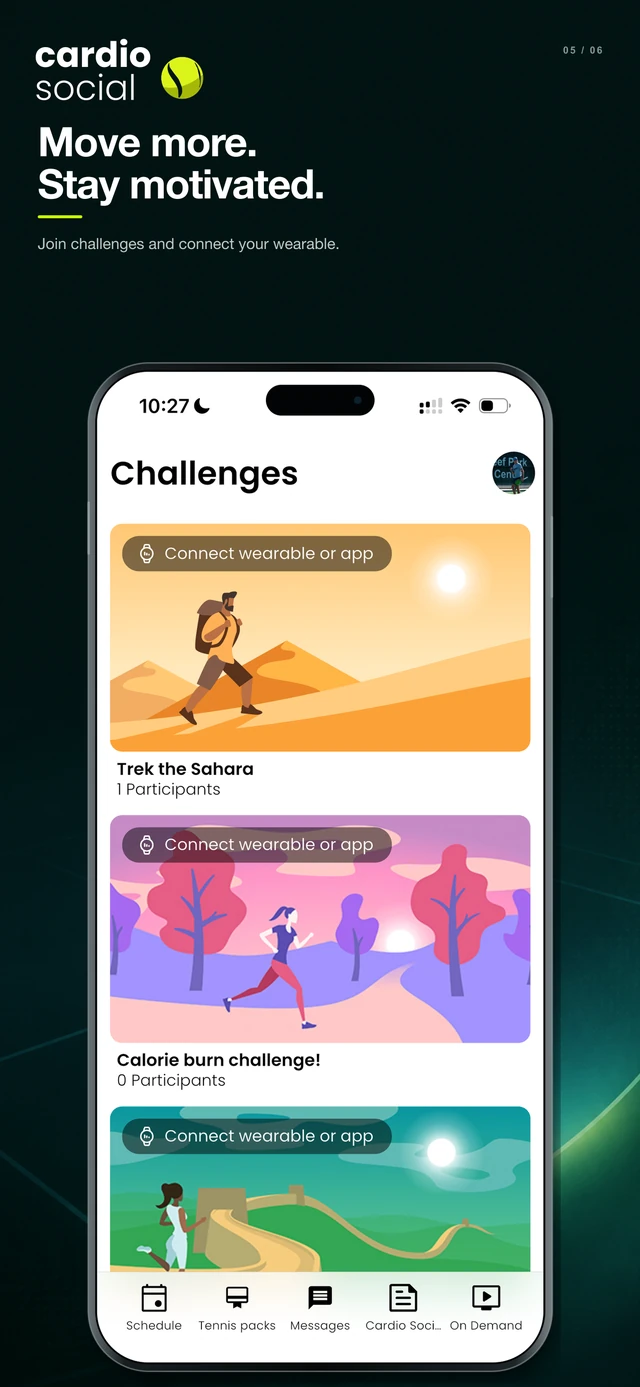
This is the part people do not expect. The app carries fitness challenges you can opt into — distance challenges, calorie-burn challenges, that sort of thing — and you can connect a wearable or your phone's health app so they track themselves.
It is optional and nobody is ranked against anyone unless they join in. But if you are the kind of person who moves more when there is a number attached, it turns out cardio tennis and a step target get along very well.
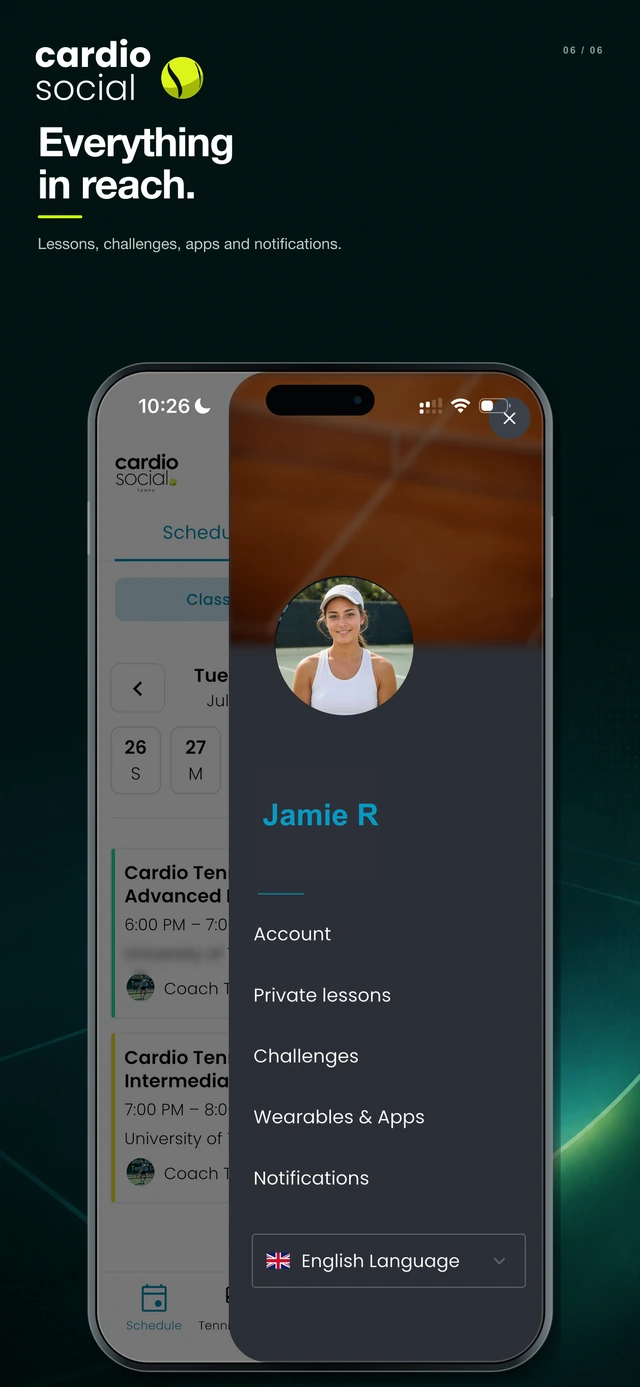
Everything in one menu
Account, private lessons, challenges, wearables and notification settings all sit behind your profile. There is a language switch in there too, which matters more than you would think in Tampa.
Getting it
It is free. Download it, create an account, and your bookings and session history carry across — you do not need to set anything up twice.


If something in it does not behave, tell me — text (813) 534-9206 or leave a comment below. It is easier to fix than you think.
Comments
Got a question about this, or something to add? Leave it below — comments are read and published by hand, so give it a day or so to appear.